Beta
MySQL / PostgreSQL · ZFS · Apache-2.0
Database branching on your own servers. No cloud lock-in.
DB Branch makes MySQL and PostgreSQL branches from ZFS snapshots. A branch is ready in seconds however large the Base is, and your data never leaves your network.
The core is free and open source under Apache-2.0. Install it from the apt repository.
Measured on our 3-node test cluster, from the API call until the branch accepts connections. Thanks to CoW, the time does not grow with the size of the base.
See it work
A Branch in seconds, a reset in seconds.

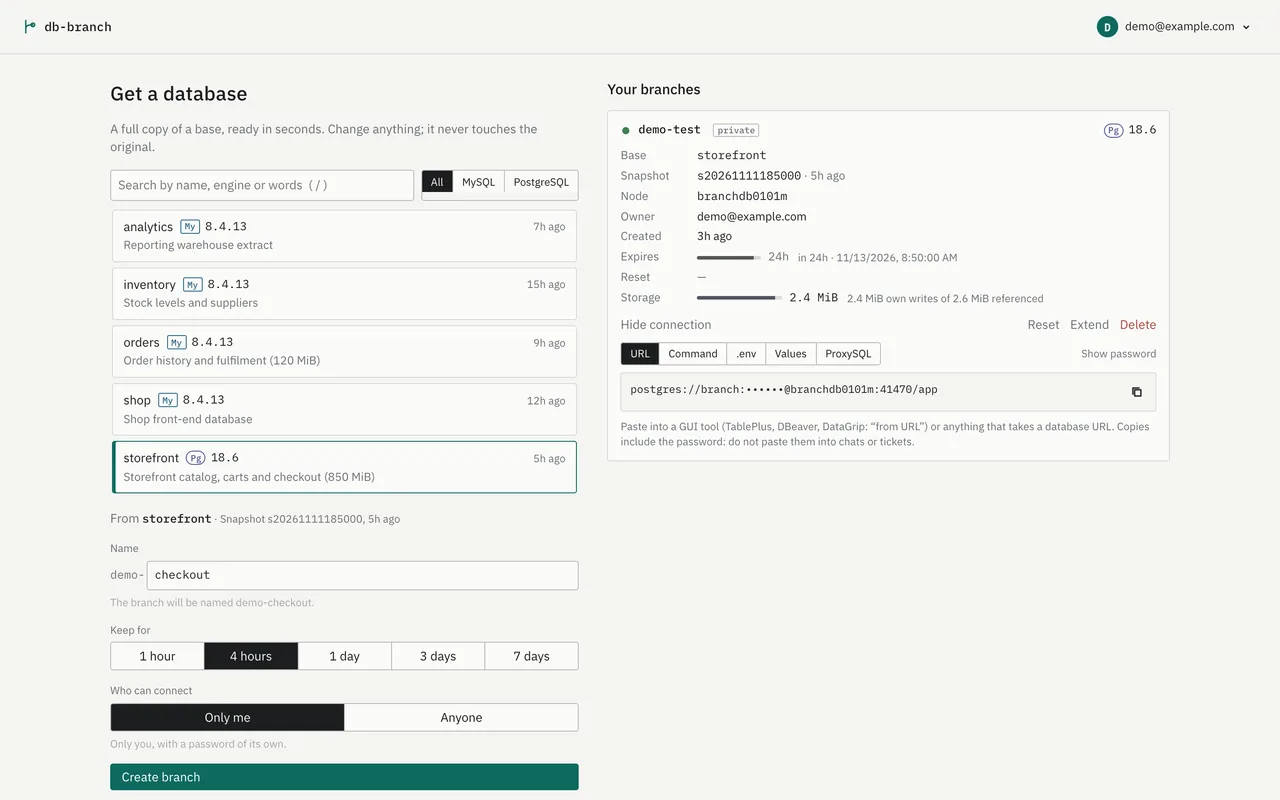
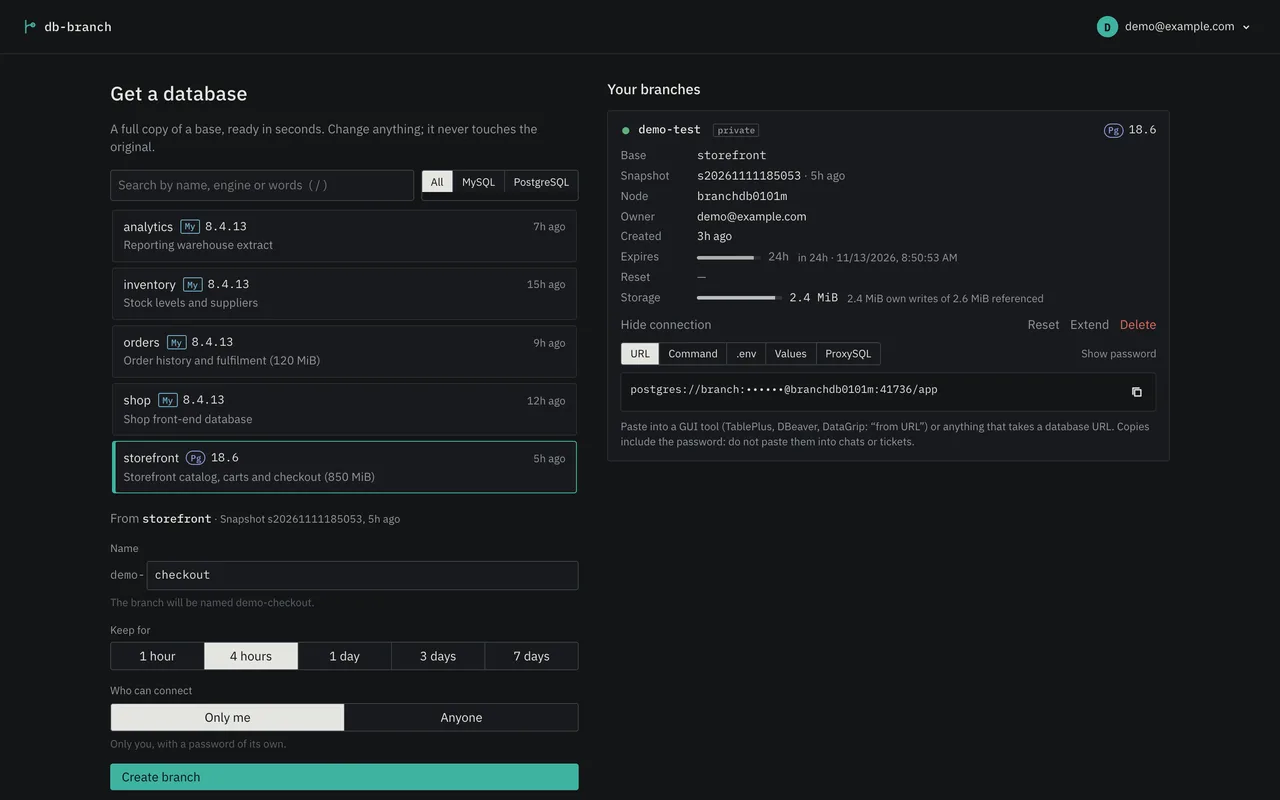
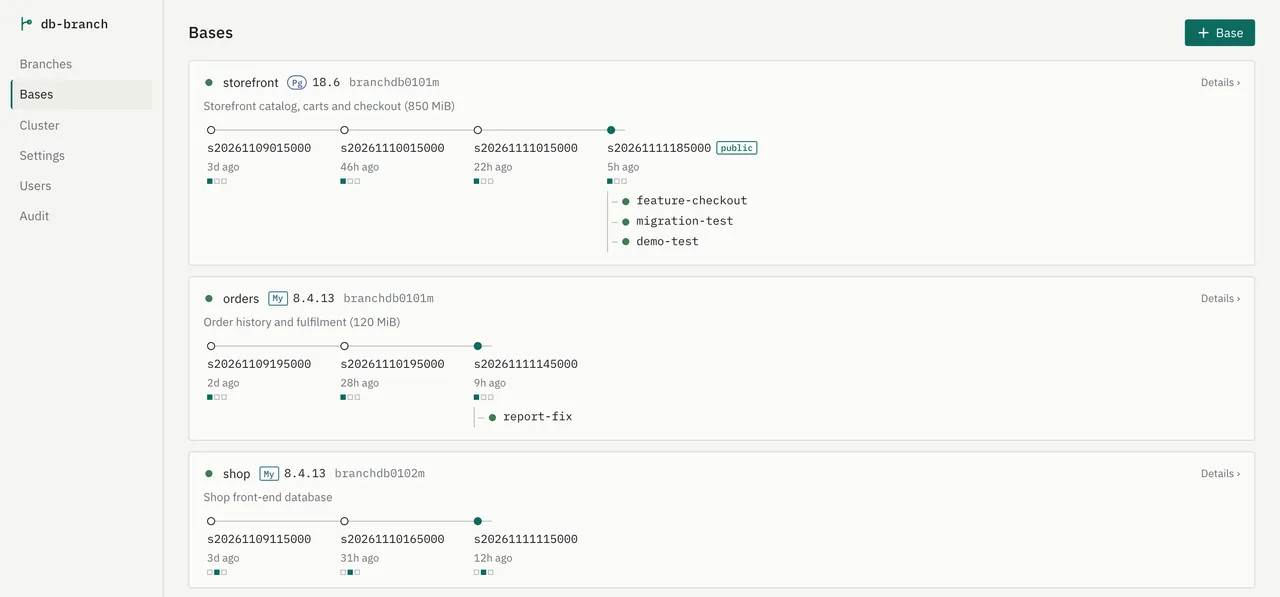
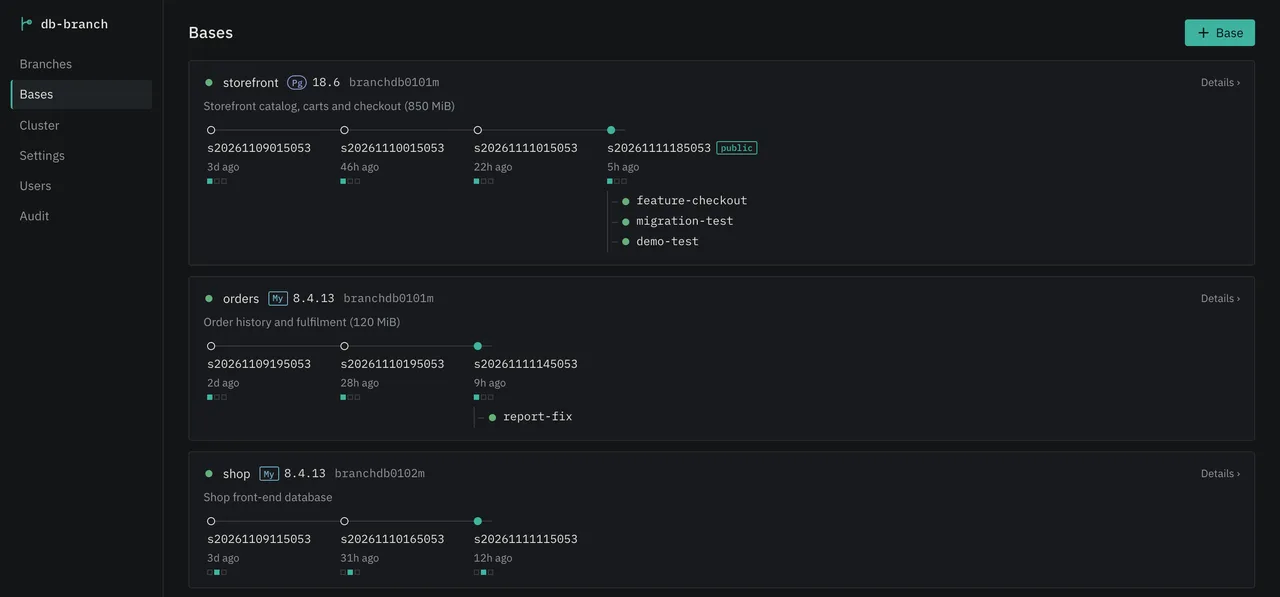
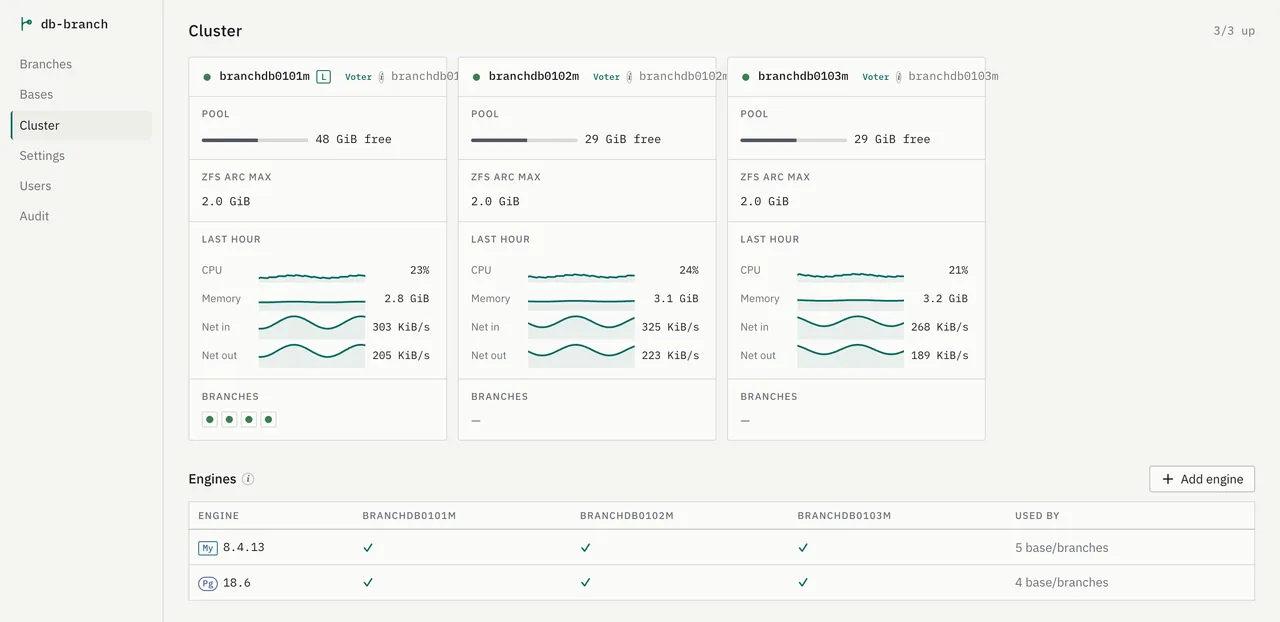
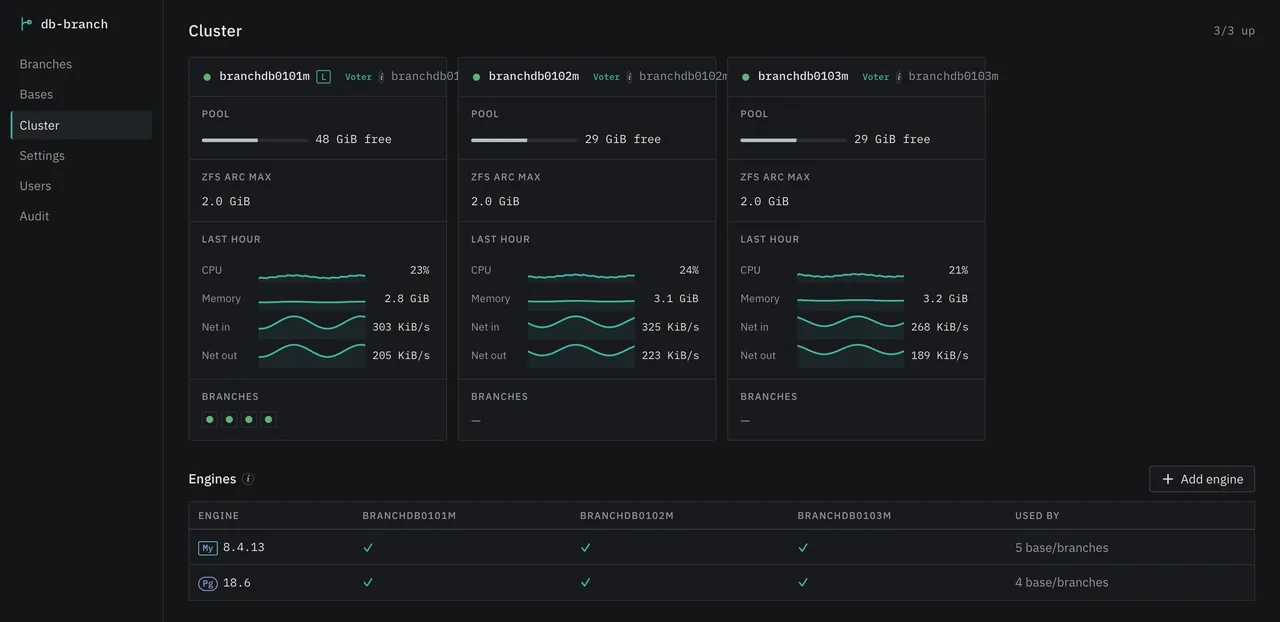
The console
See every Base, Branch and node in the browser.
The web console is served by every node and uses the same API as the CLI.
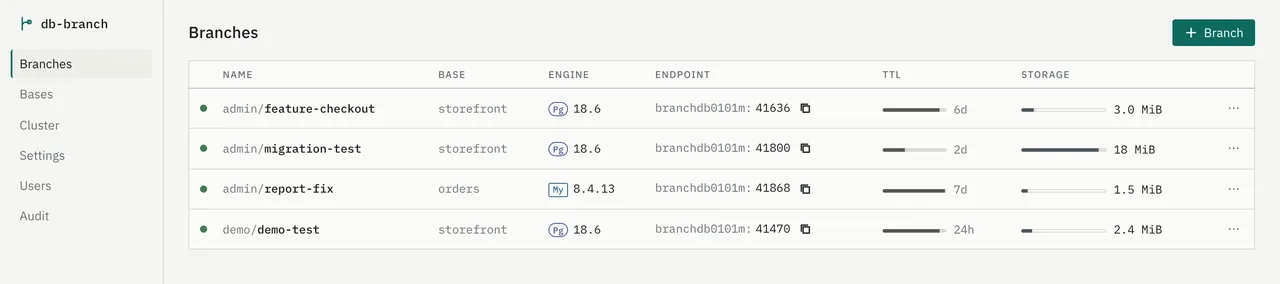
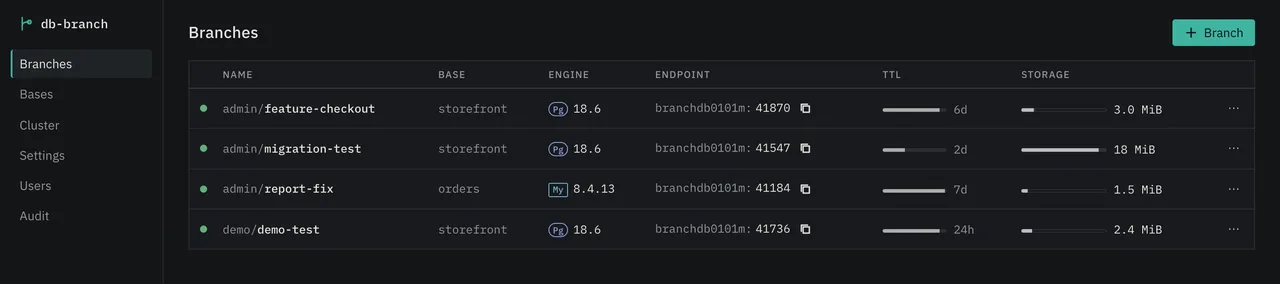
Architecture
Built from parts you already run.
Branches are ZFS copy-on-write clones, connections can go through ProxySQL, and every branch is a stock MySQL or PostgreSQL server. Nothing proprietary sits in the data path, so your ops team can debug it with the tools they already know: zfs, ProxySQL, mysql and psql.
How it works
Build one base, and every branch after that takes seconds.
A branch is a ZFS clone of a base snapshot. Clones are copy-on-write (CoW): creating one copies no data, and a branch takes new space only for the blocks it writes.
Build a base from a dump or from production
Load an SQL dump, or pull from production or a replica on a schedule. The base is the read-only original.
Keep each point in time
Every load takes a snapshot. Branches can start from older snapshots too.
One per person, one per pull request
A branch is its own database server. Changes to it never reach the original, and resetting or deleting it takes seconds.
# Install on each node and point it at a ZFS pool
$ sudo apt install db-branch
$ sudo db-branch init --pool tank

# Build a base from a dump, then branch from it
$ db-branch base create prod --runtime postgres@18.6 --dump /srv/prod.sql.gz
$ db-branch branch create feature-x --base prod --ttl 72h
Install from the apt repository; see Getting started for the steps.
CI
A fresh database for every pull request.
Create a branch when a pull request opens and delete it when the pull request closes. This GitHub Actions workflow calls the REST API with a token, and the branch expires by itself if a close event is missed.
# .github/workflows/db-branch.yml
on:
  pull_request:
    types: [opened, closed]
jobs:
  db:
    runs-on: self-hosted
    env:
      DBB: https://node1:7080/v1
      AUTH: "Authorization: Bearer ${{ secrets.DBB_TOKEN }}"
      BRANCH: pr-${{ github.event.number }}
    steps:
      - if: github.event.action == 'opened'
        run: |
          OP=$(curl -fsS -H "$AUTH" -H 'Content-Type: application/json' \
            -d "{\"name\":\"$BRANCH\",\"base\":\"prod\",\"ttl\":\"72h\"}" $DBB/branches | jq -r .id)
          while [ "$(curl -fsS -H "$AUTH" $DBB/operations/$OP | jq -r .state)" = running ]; do sleep 1; done
          export DATABASE_URL=$(curl -fsS -H "$AUTH" $DBB/branches/$BRANCH/dsn | jq -r .dsn)
          npm test
      - if: github.event.action == 'closed'
        run: curl -fsS -X DELETE -H "$AUTH" $DBB/branches/$BRANCH
Use a runner that can reach the cluster on port 7080 and trusts its certificate (tls.pem). A branches token is enough; keep it in a repository secret. See the API docs for every field.
Connect
Connect directly, or through ProxySQL on any node.
Every node runs ProxySQL 3.x (the free db-branch-proxysql module), so connecting to any node reaches every branch in the cluster. Client ports are 6033 for MySQL and 6133 for PostgreSQL.
Direct
Use the host, port and user of the branch server. db-branch branch dsn prints the URL with the password.
By user name
Each branch has its own user. The app changes only the user in its connection string.
By query comment
Add /*db_branch='name'*/ to a query to pick the branch. A middleware can add it per request from an HTTP header. The comment wins over the user name. A transaction never switches branch midway.
# Same host, different user: the user picks the branch
mysql://feature-x:<password>@node1:6033/app
mysql://pr-1287:<password>@node1:6033/app

-- A comment on the query picks the branch
SELECT * FROM users WHERE id = 1 /*db_branch='feature-x'*/;
The mysql CLI strips comments unless you start it with -c.
Features
The features a team uses every day are built in.
MySQL and PostgreSQL
Pick the runtime version for a base. Its branches run on a server of the same version.
Pull from production automatically
Set the source and an interval: DB Branch dumps, loads and snapshots for you. The dump is deleted as soon as it is loaded.
Redundant on three or more nodes
Raft keeps the state on every node, so any node takes commands. Snapshots are replicated between nodes.
Console, CLI and API
See and manage everything in the web console. From CI, create and delete a branch per pull request with the CLI or the REST API.
Hand branches over MCP
Agents such as Claude Code make a branch of their own and try their SQL in it without touching production.
Stored with lz4 compression
Bases and branches are stored with ZFS lz4 compression. Because branches are CoW clones, ten branches of one base take little more than the base itself until they start writing.
Back to the start in seconds
Each branch keeps its starting point as a CoW snapshot. A reset rolls back to that snapshot, so it finishes in seconds and runs no SQL again.
Free masking tools included
Build a masked base with Greenmask or PostgreSQL Anonymizer for PostgreSQL, or Greenmask (beta) for MySQL.
Expiry, notifications, backups
Branches expire and clean themselves up. Notifications go to Slack or a webhook, and the cluster state is backed up.
Production data
Keep raw data to yourself and hand out only masked copies.
In the planned Business plan, pulling from production, masking, checking and handing out run as one chain. A change to the rules needs approval from someone other than its author.
Pull
Refresh from production or a replica on a schedule.
Quarantine
Only admins touch the raw base, and no one can branch from it.
Mask
After every refresh, mask again with the approved rules only.
Check
If a check you defined finds a single row, the result is thrown away.
Hand out
Branches come only from snapshots that passed the checks.
You decide what to mask, how, and whether the result is good enough. DB Branch carries out those decisions and keeps a record of them; it does not guarantee the masked result.
Requirements
What it runs on
We have not set official minimums yet; the table shows what we test on.
| OS | Linux that installs packages with apt. Tested on Ubuntu 24.04 LTS. |
|---|---|
| Storage | A ZFS pool for bases and branches (tested with OpenZFS 2.2). Datasets use lz4 compression. |
| Databases | Tested with MySQL 8.0 and 8.4, and PostgreSQL 18. |
| Nodes | Runs on one machine. Three or more make a cluster that keeps working when one node is down. |
| CPU and memory | Our test cluster: one node with 6 vCPU and 11 GB, and two with 2 vCPU and 3 GB. |
| Memory per branch | Each branch server gets a 128 MB cache by default (InnoDB buffer pool or shared_buffers), adjustable in Settings. |
| Disk | The base data, compressed with lz4, plus whatever the branches write. Unchanged blocks are shared through CoW. |